LiteSell gives players /sell, /sellall, /sellhand and /worth, with prices split into categories like ores, crops and mob drops. The more a player sells in a category, the higher their level there, and each level raises the multiplier on everything they sell in it.
Players see every item's value in its lore, can look back at what they sold, and you can run timed server-wide sell events that boost every payout.
Permissions#
| Permission | Lets a player | Default |
|---|---|---|
litesell.admin.reload | Run /litesell reload. | OP |
litesell.admin.setworth | Set prices with /setworth. | OP |
litesell.admin.unsellable | Mark items unsellable with /sell unsellable. | OP |
litesell.admin.sellhistory | Open another player's sell history. | OP |
litesell.admin | Turn the worth display off or on for the whole server. | OP |
sellplugin.admin | Run /sellevent and /sell transferdata. | OP |
blazez.updates | Get the update alert on join. | OP |
Every player command (/sell, /sellall, /sellhand, /worth, /sellhistory) needs no permission.
Commands#
| Command | What it does | Permission |
|---|---|---|
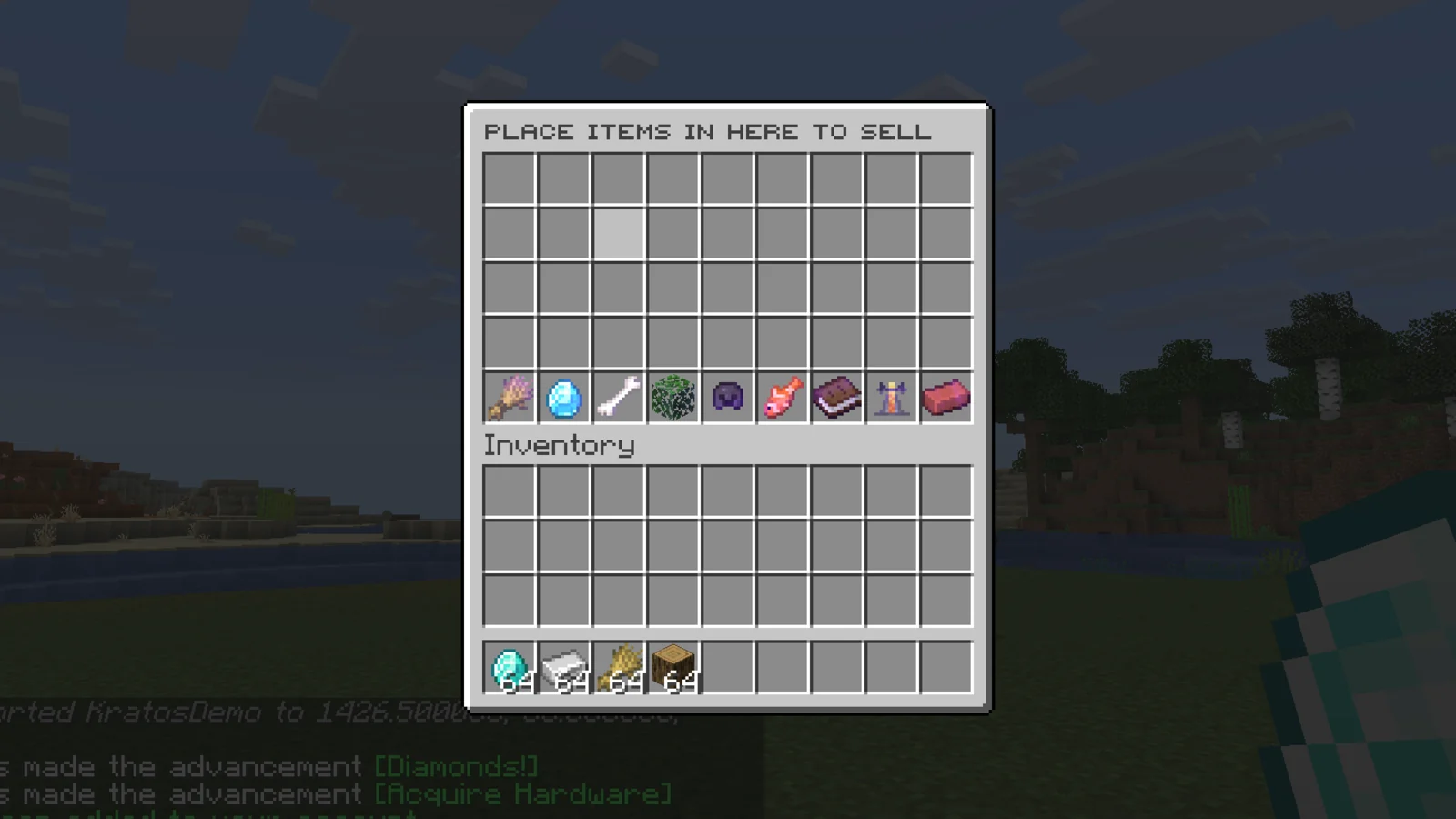
/sell | Opens the sell menu. Items placed in it are sold when it closes. | None |
/sellall [material] | Sells every sellable item in your inventory, or only one material. | None |
/sellhand [confirm] | Sells the item in your hand. For a shulker box it sells the contents, and the box too if it has a price. Anything inside that can't be sold stays in the box or goes back to your inventory. | None |
/sellhand all | Sells every item in your inventory that matches the one in your hand. | None |
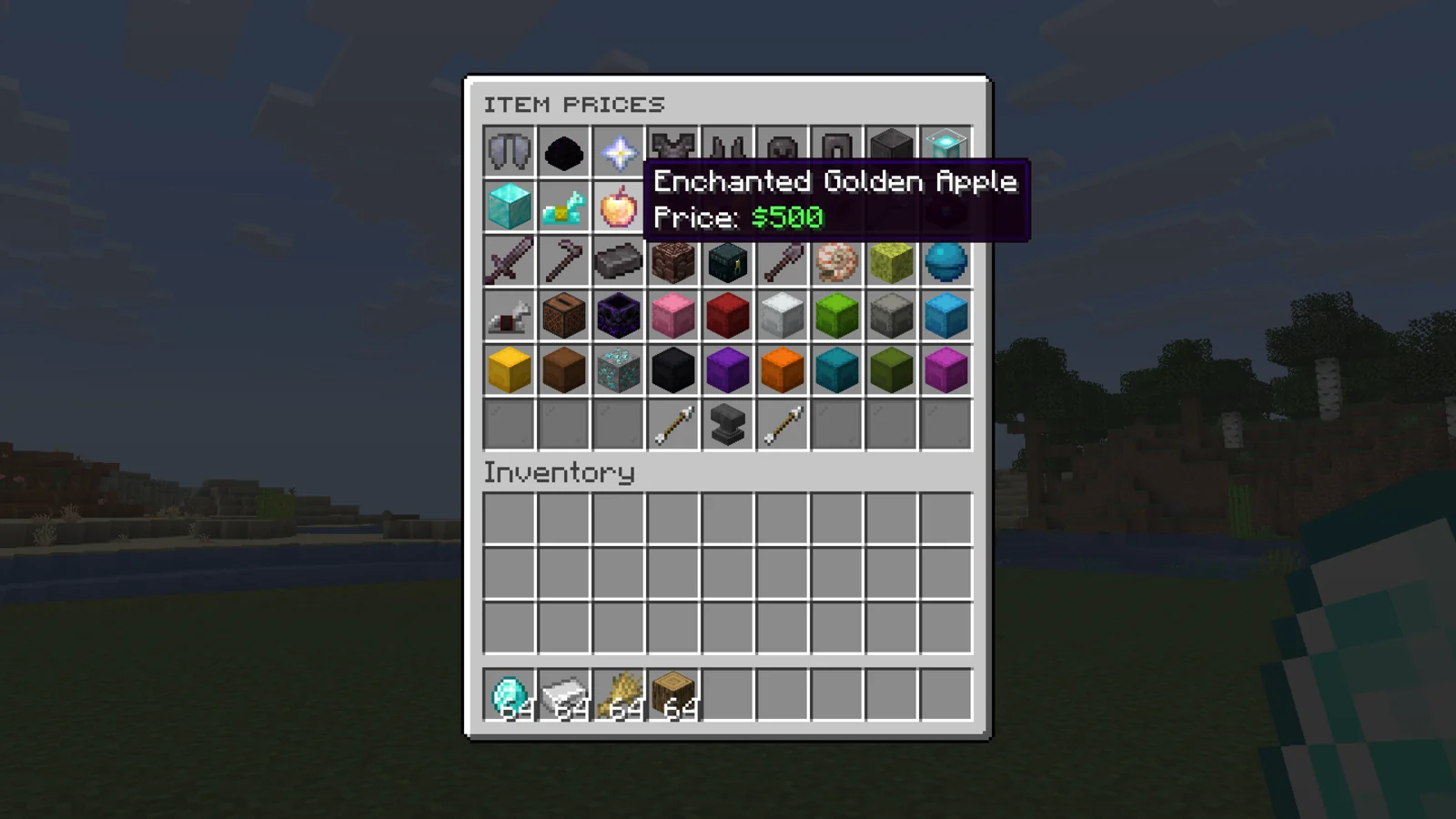
/worth | Opens the price list. | None |
/worth hand | Shows the value of the item in your hand. | None |
/worth toggle [globally] | Turns worth lore off or on for you, or with globally for everyone. | None, litesell.admin for globally |
/sell ordertoggle | Turns selling to Order orders off or on for you. | None |
/sellhistory [player] | Opens your sell history, or another player's. | None, litesell.admin.sellhistory for another player |
/setworth <price> | Sets the price of the item in your hand. It must already be in a category. | litesell.admin.setworth |
/sell unsellable <tag> | Tags the item in your hand so it can't be sold. | litesell.admin.unsellable |
/sellevent start [seconds] [boost] | Starts a sell event now. | sellplugin.admin |
/sellevent stop | Ends the running sell event. | sellplugin.admin |
/sell transferdata | Copies all player data between file storage and MySQL. | sellplugin.admin |
/litesell reload | Reloads every config file. | litesell.admin.reload |
Configuration#
| File | What it controls |
|---|---|
config.yml | Worth display, sell events, unsellable items, storage, Order integration and messages. |
categories/<name>.yml | One file per category: its items, prices, levels and icons. |
inventories/*.yml | Menu layouts and titles. |
enchantments-value.yml | Extra value per enchantment. |
tools-config.yml | Tool settings. |
license.yml | Your license key and update alerts. |
Categories and prices#
Each file in categories/ is one category. The file name is its internal name, and you add a category by dropping a new file in the folder. The bundled ones are armor, blocks, book, crops, fish, mob, natrual, ores and potions.
base-multiplier: 1.1
inventory-slot: 37
progress-title: 'ᴏʀᴇѕ ᴘʀᴏɢʀᴇѕѕ'
level-prices: [25000, 150000, 500000, 1000000]
allowed-types:
  COAL_ORE:
    price-per-unit: 2
  DEEPSLATE_COAL_ORE:
price-per-unit: 2allowed-typeslists every item the category buys and itsprice-per-unit. The quickest way to change a price is to hold the item and run/setworth <price>, which saves it to the file.level-pricesis how much a player has to sell in this category to reach each next level.- The multiplier at level 1 is
base-multiplier, and each level adds0.1. With1.1, level 5 pays1.5times the price. progress-iconandcategories-iconare the items shown in the menus, andinventory-slotplaces the category icon.
Set disable-categories: true to turn levels and multipliers off, so every item sells at its plain price.
Worth display#
With worth-enabled: true (the default), sellable items show their value in lore, using the worth-lore lines (%price% and %category%). worth-show-top-inventory: true also shows it in chests and other menus. Players can hide it for themselves with /worth toggle.
worth-gui-lore-filter: true adds a filter icon to the /worth menu that cycles through All and each category. Off by default.
Items that can't be sold#
blacklisted-worlds: worlds where selling is blocked.unsellable-name-words: items whose name contains one of these words can't be sold.unsellable-pdc-tags: items carrying one of these data tags can't be sold, whichever plugin set the tag. Use it to block kit items or custom items from other plugins. Leavevalueempty to match on the key alone.
/sell unsellable <tag> puts a tag on the held item and adds it to unsellable-pdc-tags if it isn't there yet.
Sell events#
A sell event multiplies every payout for a while, with a boss bar and a chat broadcast.
sell-event:
  enabled: false
  schedule-interval: 500
  duration-seconds: 180
  sell-boost: 1.25
With enabled: true, an event starts on its own every schedule-interval seconds and runs for duration-seconds. /sellevent start starts one now, and can override the length and boost.
Selling to Order orders#
With Order installed and order-integration.enabled: true, sold items go to the open order that pays the most per item, but only if it pays more than LiteSell's own price. The rest sells normally. This works for /sell, /sellall, /sellhand all and the API. Off by default. Each player can opt out with /sell ordertoggle.
Other options#
| Key | Default | What it does |
|---|---|---|
sell-hand-confirm | false | Ask for confirmation before /sellhand. |
allow-shop-hook | false | Use EconomyShopGUI's prices for items it sells. |
database.type | filesystem | filesystem, or mysql with the database.sql block filled in. |
worth-status-placeholder | &aYes / &cNo | Text the worth and order status placeholders return. |
Every message is under messages, and the progress bar look is under progress-bar.
Update alerts#
Staff with blazez.updates (OPs by default) get one chat message when they join, listing every installed BlazeZ plugin that has an update waiting. It stays off until you set check-for-updates: true in this plugin's license.yml.
Install#
- Install Vault and an economy plugin. LiteSell doesn't load without Vault.
- Put the LiteSell jar in
plugins/and start the server once. LiteSell createsplugins/LiteSell/with the files above. - Paste your license key into
license-keyinlicense.yml. Your key is under My Licenses on the BlazeZ portal; licenses linked to your Discord account show up there automatically. If yours is missing, open a License Key ticket in the BlazeZ Discord. - Restart the server.
- After editing files, run
/litesell reload.
Placeholders#
| Placeholder | Returns |
|---|---|
%litesell_total_sold% | Items sold on the whole server. |
%litesell_multiplier% | The player's highest category multiplier, including a running sell event. |
%litesell_multiplier_<category>% | The player's multiplier in one category (the category file name), including a running sell event. N/A for an unknown category. |
%litesell_total_money_made_simple% | The player's lifetime earnings as a plain number. |
%litesell_total_money_made_formatted% | The same, shortened (1.5k). |
%litesell_worth_status% | Whether the player has worth lore on. |
%litesell_worth_status_global% | Whether worth lore is on for the server. |
%litesell_order_status% | Whether the player sells to Order orders. |
%litesell_order_status_global% | Whether order-integration.enabled is on. |
Developer API#
Get the API with LiteSellProvider.get() (package net.luxcube.minecraft.api) and add softdepend: [LiteSell] to your plugin.yml.
| Method | Does |
|---|---|
isSellable(item) / getCategoryOf(material) | Checks whether and where an item is sold. |
getUnitPrice(player, item) / getSellValue(player, item) | Price for one unit, or the whole stack, including the player's multiplier. |
sellItem(player, item) / sellInventory(player, inventory) / sellHand(player) / sellAll(player) | Sells and pays, returning a SellResult. |
getCategoryLevel(uuid, category) / getTotalMoneyMade(uuid) | Player progress. |
registerCategory(category) / unregisterCategory(name) | Adds or removes a category at runtime. |
isSellEventActive() / getSellEventBoost() | The current sell event. |
Events in net.luxcube.minecraft.api.event: PlayerSellEvent (before an API sale, cancellable), PlayerSoldEvent (after), SellerLevelUpEvent, SellEventStartEvent and SellEventEndEvent.