CrossTPA runs /tpa and /tpahere requests. Before a request goes out or gets accepted, a small menu shows the other player's world and whether they're flying. When the countdown ends, CrossTPA checks the landing spot for common trap setups and cancels the teleport if one fails.
Accepting pins the destination to where the accepter stands at that moment, so walking off during the countdown doesn't drag the other player along. On a network, requests, player lists and teleports work across every backend server through Redis.
Permissions#
| Permission | Lets a player | Default |
|---|---|---|
donuttpa.tpa | Send /tpa requests. | OP |
donuttpa.tpahere | Send /tpahere requests. | OP |
donuttpa.accept | Accept requests. | OP |
donuttpa.deny | Decline requests. | OP |
donuttpa.cancel | Withdraw their own requests. | OP |
donuttpa.tpaall | Use /tpaall. | OP |
donuttpa.tphereall | Use /tphereall. | OP |
donuttpa.auto | Use /tpauto. | OP |
donuttpa.tpatoggle | Use /tpatoggle. | OP |
donuttpa.gui | Use /tpaguitoggle. | OP |
donuttpa.setting | Open /tpasetting. | OP |
donuttpa.admin | Open /tpaadmin. | OP |
donuttpa.cooldown.bypass | Skip the request cooldown. | OP |
tpa.admin | Run /donuttpa reload. | OP |
plugin.yml also lists donuttpa.tphere and donuttpa.toggle. Nothing checks those two, so grant donuttpa.tpahere and donuttpa.tpatoggle instead.
Commands#
| Command | What it does | Permission |
|---|---|---|
/tpa <player> | Asks to teleport to a player. | donuttpa.tpa |
/tpahere <player> | Asks a player to teleport to you. | donuttpa.tpahere |
/tpaccept [player] | Accepts a request, or your latest one without a name. Alias /tpyes. | donuttpa.accept |
/tpdeny [player] | Declines a request, or your latest one without a name. Alias /tpno. | donuttpa.deny |
/tpacancel | Withdraws every request you've sent. | donuttpa.cancel |
/tpaall | Sends a /tpa request to every online player. The first to accept gets you. | donuttpa.tpaall |
/tphereall | Teleports every player on your server to you, no request. | donuttpa.tphereall |
/tpauto | Toggles auto-accepting /tpa requests. | donuttpa.auto |
/tpatoggle | Toggles receiving /tpa requests. | donuttpa.tpatoggle |
/tpaheretoggle | Toggles receiving /tpahere requests. | None |
/tpaguitoggle | Toggles the confirm menu for yourself. | donuttpa.gui |
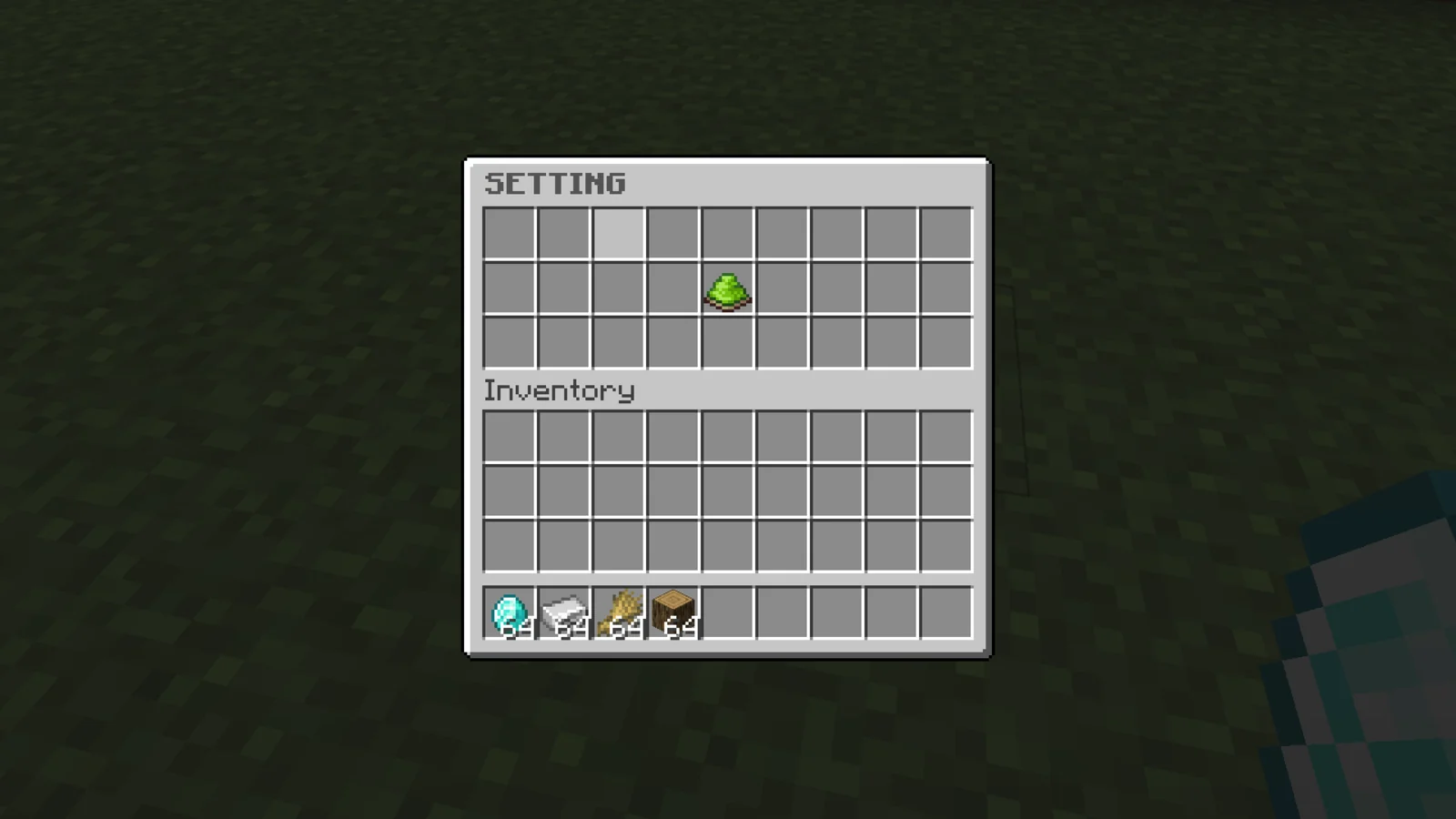
/tpasetting | Opens your settings menu. | donuttpa.setting |
/tpaadmin | Opens the safe-teleport admin menu. | donuttpa.admin |
/donuttpa reload | Reloads config.yml, messages.yml and the menu files. Works from console. | tpa.admin |
Configuration#
| File | What it controls |
|---|---|
config.yml | Countdown, safety checks, cooldown, blacklists, world names and icons, sounds, MySQL and Redis. |
messages.yml | Every chat, action bar and title message, each with its own optional sound. |
license.yml | Your license key. |
inventories/tpa-inventory.yml | The confirm menu. |
inventories/tpa-settings.yml | The /tpasetting menu. |
inventories/tpa-admin.yml | The /tpaadmin menu. |
inventories/tpa-safe-teleport-settings.yml | The per-check menu opened from /tpaadmin. |
playerdata/<uuid>.yml | Each player's toggles, when MySQL is off. |
On startup, keys missing from your config.yml are added from the defaults and your existing values are kept.
config.yml#
| Key | Default | What it does |
|---|---|---|
tpa-countdown-seconds | 5 | Countdown before the teleport, once accepted. |
smooth-countdown-decimals | 2 | Decimals on the action bar timer, 0 to 2. |
allowed-walk-range | 1 | Blocks the moving player may walk during the countdown. |
request-cooldown | 30000 | Milliseconds before the same sender can ask the same target again. |
data.clear-time | 120 | Seconds before an unanswered request expires. |
safe-teleport | true | Master switch for the safety checks. |
safe-teleport-checks.* | true | The five checks in Safe teleport. |
disable-tpa-gui | false | true turns the confirm menu off for everyone. |
disable-tphereall | false | true removes /tphereall for everyone, including from tab completion. |
blacklisted-worlds | otherside | Worlds where players can't send requests. |
world-guard.blacklisted-regions | empty | WorldGuard regions where players can't send requests. |
world-nicknames | Overworld, Nether, End | Names shown for %world% in the confirm menu. |
world-icons | GRASS_BLOCK, NETHERRACK, END_STONE | Material of the location icon per world. Unknown materials fall back to GRASS_BLOCK. |
placeholders-values | Yes / No | Text the placeholders return for on and off. |
teleport-limitations | -1 | Has no effect. Leave it at -1. |
Sounds#
The sounds section takes Minecraft sound keys such as entity.experience_orb.pickup.
| Key | Plays when |
|---|---|
tpa-receive | A request reaches the receiver. |
count-down | Each second of the countdown. |
accept-teleport | Confirm is clicked in the confirm menu. |
information-click | An info icon or Cancel is clicked in the confirm menu. |
error | Cancel finds no request to drop. |
tpaall | Once per player requested by /tpaall. Falls back to tpa-receive if removed. |
Messages#
Every key in messages.yml is a block like this one:
messages:
  request-cooldown:
    enabled: true
    type: chat
    message: '&cYou''re on cooldown for sending requests to this player.'
    sound:
      enabled: true
      key: entity.villager.no
      volume: 1.0
      pitch: 1.0
type can be chat, actionbar (text under actionbar.message), title (title.main, title.sub and title.duration.fade_in, stay, fade_out in milliseconds) or list (lines under messages). enabled: false silences a message. Text takes & color codes and &#rrggbb hex colors; write hex in lowercase.
In receive-request and receive-here-request, | splits the text into lines, and a line containing <clickable> runs /tpaccept <player> when clicked.
Keys missing from your messages.yml fall back to the built-in text.
Menus#
Each menu file sets a name (title), rows, and icons with slot, material, display-name and lore. Confirm menu icons take %player%, %world% and %is_flying%, and PlaceholderAPI placeholders when it's installed.
Every confirm menu (sending, sending here and accepting) uses the request-inventory section of tpa-inventory.yml. Its accept-inventory section and tpa-here-inventory.yml are generated but not used.
Install#
- Stop the server and put the CrossTPA jar in
plugins/. On a network, do this on every backend server. - Start the server once. CrossTPA creates
plugins/DonutTPA/withconfig.yml,messages.yml,license.ymland aninventories/folder. - Paste your license key into
license-keyinlicense.yml. Your key is under My Licenses on the BlazeZ portal; licenses linked to your Discord account show up there automatically. If yours is missing, open a License Key ticket in the BlazeZ Discord. - Restart the server. If the key is missing or wrong, the console prints the reason at startup and no commands load.
- Give your players the permissions they need (see Permissions).
- After editing a file, run
/donuttpa reload. Turning the database or Redis on or off needs a restart.
Warning
plugin.yml sets no defaults, so every permission is OP-only until you grant it. With LuckPerms, for example: /lp group default permission set donuttpa.tpa true, and the same for each player node you want.
Sending and accepting requests#
/tpa <player> asks to go to a player, and /tpahere <player> asks a player to come to you. Names match by prefix, so /tpa ste finds Steve. Tab completion lists every online player, network-wide in cross-server mode.
With the confirm menu on (the default), /tpa, /tpahere and /tpaccept open a menu first. It shows the other player's name, their world and whether they're flying. Confirm sends or accepts the request, Cancel drops it.
The receiver gets a chat message with a clickable line that runs /tpaccept <player>, an action bar and the tpa-receive sound. /tpaccept and /tpdeny without a name act on the most recent request you received.
A request expires after data.clear-time seconds (default 120). /tpacancel withdraws every request you've sent, and logging out does the same. One player can't send another request to the same target for request-cooldown milliseconds (default 30000, 30 seconds). donuttpa.cooldown.bypass skips that cooldown.
Countdown#
Once a request is accepted, the player who is moving gets a countdown of tpa-countdown-seconds (default 5). A chat line and the count-down sound come once per second, and the action bar timer shows smooth-countdown-decimals decimals (0, 1 or 2, default 2).
If the moving player walks more than allowed-walk-range blocks (default 1) from where they stood at accept time, the teleport cancels. Changing worlds cancels it too.
The destination is where the other player stood when the request was accepted: the accepter for /tpa, the sender for /tpahere.
/tpaall and /tphereall#
/tpaall sends a /tpa request to every other online player, network-wide in cross-server mode. The first player to accept gets you, and the rest of the requests are dropped. You hear the tpaall sound once per player requested.
/tphereall moves every other player on your server to you instantly, with no request and no safety checks. It only covers the server you're on. Set disable-tphereall: true to remove it for everyone, OPs included.
Personal toggles#
| Command | Effect |
|---|---|
/tpatoggle | Stop or resume receiving /tpa requests. Senders are told you aren't accepting. |
/tpaheretoggle | The same for /tpahere requests. |
/tpaguitoggle | Turn the confirm menu off or on for yourself. /tpasetting has the same switch as a button. |
/tpauto | Accept incoming /tpa requests automatically, checked once per second. |
/tpauto only accepts /tpa requests (never /tpahere) from players on the same server. It switches itself off when you die, so a respawn can't be used to trap you. Set disable-tpa-gui: true to turn the confirm menu off for everyone.
Toggles are saved per player in playerdata/<uuid>.yml, or in MySQL when database.enabled is true.
Safe teleport#
When the countdown ends, CrossTPA checks the destination. If an enabled check fails, both players get the teleport-fail-safe message, the request is dropped and nobody moves.
| Check | Blocks the teleport when |
|---|---|
check-vehicle | The player at the destination is riding something (boat, minecart, horse). |
check-nearby-entity | An armor stand or item frame is within 3 blocks of the destination. |
check-falling | Both blocks under the destination are air. |
check-water | Either of the 2 blocks under the destination is water. |
check-sign | A sign is at the destination block or within 2 blocks above or below it. |
All five sit under safe-teleport-checks and are on by default. safe-teleport: false turns them all off.
Staff can change them in game with /tpaadmin. Left-click the Safe Teleport icon to flip the master switch, right-click it to open the per-check menu. Every click is saved to config.yml. Per-check changes apply straight away; the master switch applies after /donuttpa reload.
Note
Cross-server teleports run the checks on the destination server and don't read safe-teleport there. To disable checks on a network, turn off the single checks under safe-teleport-checks.
Blacklisted worlds and regions#
Players standing in a world from blacklisted-worlds (default otherside) or a WorldGuard region from world-guard.blacklisted-regions can't send /tpa, /tpahere or /tpaall. The receiver is never checked, so anyone can accept a request, including to leave a blacklisted area. /tphereall ignores both lists.
Cross-server setup#
CrossTPA links backend servers through Redis. Each server publishes its online players every 7 seconds, requests and messages travel through Redis, and when a countdown ends the destination server pulls the player over through your proxy.
- Run a Redis server that every backend server can reach.
- Install CrossTPA on every backend server, each with its license key in
license.yml. - Check the proxy. BungeeCord needs nothing. On Velocity, keep
bungee-plugin-message-channel = trueinvelocity.toml(the default). CrossTPA uses that channel to learn each server's name and to move players between servers. - On every backend server, set
database.redis.enabledtotrueinconfig.ymland fill inhost,portandpasswordfor your Redis server. - Optional, and worth doing: set
database.enabledtotrueand fill indatabase.sqlon every server, all pointing at the same MySQL database. Player toggles then follow players between servers, and the request cooldown counts across the network instead of per server. - Restart every backend server.
- Test with two players on different servers. Within about 7 seconds,
/tpashould tab-complete the other player's name.
database:
  enabled: false
  thread-pool-size: 4
  sql:
    hostname: "hostname"
    database: "database"
    username: "username"
    password: "password"
  redis:
    enabled: false
    host: "localhost"
    port: 6379
    password: "password"
hostname can include a port (db.example.com:3307); without one, CrossTPA uses 3306. thread-pool-size is the size of the MySQL connection pool. The tables are created on first start.
There is no server name to set. CrossTPA reads each backend's name from the proxy once a player is online on it, so the names in your proxy config are the ones it uses.
Each server reads its own config.yml and messages.yml. Copy your changes to every server.
Placeholders#
| Placeholder | Returns |
|---|---|
%donuttpa_tpatoggle_status% | Whether the player accepts /tpa requests. |
%donuttpa_tpaheretoggle_status% | Whether the player accepts /tpahere requests. |
%donuttpa_tpaguitoggle_status% | Whether the confirm menu is on for the player. Always off while disable-tpa-gui is true. |
%donuttpa_tpauto_status% | Whether /tpauto is on. |
Values come from placeholders-values (default Yes and No). A player who isn't loaded returns N/A.
Developer API#
net.luxcube.minecraft.api.TeleportAPI reads and changes the same toggles the commands use: isAcceptingTpa / setAcceptingTpa, isAcceptingTpHere / setAcceptingTpHere and isTeleportAuto / setTeleportAuto. Each takes a Player or a UUID and is safe from any thread. Setters save through CrossTPA's storage. For a player who isn't online on that server, setters do nothing and every method returns false.
Events#
CrossTPA fires Bukkit events from net.luxcube.minecraft.api.event.impl. Cancelling one stops the action silently, so your plugin sends its own message.
| Event | Cancellable | Fires when |
|---|---|---|
TeleportRequestSendEvent | Yes | A /tpa, /tpahere or /tpaall request is about to be sent, once per target. getSender(), getTargetUniqueId(), getTargetName(), getRequestType(), isTpaAll(). |
TeleportRequestAcceptEvent | Yes | A request is accepted by command, menu or /tpauto. getAccepter(), getSenderUniqueId(), getSenderName(), getRequestType(), isTpaAll(). |
TeleportRequestDenyEvent | Yes | A request is denied by /tpdeny or the menu. getDenier(), getSenderUniqueId(), getSenderName(), getRequestType(). |
TeleportCompleteEvent | No | The teleport succeeded, on the server the player landed on. getPlayer(), getFrom() (null across servers), getTo(), getRequestType(), isCrossServer(). |
getRequestType() returns TPA or TPAHERE. Events sent from the async command thread are marked async, so don't touch the world from them without scheduling.
Add softdepend: [DonutTPA] to your plugin.yml. DonutTPA is the plugin's internal name.
Troubleshooting#
- Players get a no-permission message on
/tpa: every node is OP-only by default. Grant the nodes from Permissions. - "The teleport was not safe!": a check in Safe teleport failed at the destination. The accepter should stand on solid ground, away from signs, armor stands and item frames, and off any mount.
- Edits to
tpa-here-inventory.ymlor toaccept-inventorydon't show: editrequest-inventoryintpa-inventory.yml. - Players on other servers don't show up: check
database.redis.enabled: trueon every server, all using the same Redis, then wait 7 seconds. On Velocity, checkbungee-plugin-message-channel.