BlazeEffects plays a cosmetic when a player gets a kill: particles in shapes like spirals and rings, sounds, fireworks and lightning, all at the victim's position. Players pick their kill effect, kill sound and death message from /be, and you decide who unlocks what with permissions.
Every effect is a small YAML file in effects/, so you can design new ones without code. 28 effects ship with the plugin. It also has a combat tag that shows a live countdown and kills players who log out mid-fight.
Permissions#
| Permission | Lets a player | Default |
|---|---|---|
blazeeffects.menu | Open the menus. | Everyone |
blazeeffects.toggle | Turn their own effects off or on. | Everyone |
blazeeffects.preview | Preview an effect on themselves, and run /be demo. | Everyone |
blazeeffects.info | See their equipped effect. | Everyone |
blazeeffects.effect.<id> | Use one kill effect, such as blazeeffects.effect.galaxy. blazeeffects.effect.* gives all. | OP |
blazeeffects.killsound.<id> | Use one kill sound. .* gives all. | OP |
blazeeffects.deathmessage.<id> | Use one death message. .* gives all. | OP |
blazeeffects.cooldown.bypass | Switch and preview without the anti-spam delay. | OP |
blazeeffects.combat.bypass | Use blocked commands while combat-tagged. | OP |
blazeeffects.admin.reload | Run /be reload. | OP |
blazeeffects.admin.set | Set or clear another player's effect, and run /be demo <player>. | OP |
blazeeffects.admin.clear | Clear another player's effect. | OP |
blazeeffects.admin.win | Play a player's win effect. | OP |
blazeeffects.admin | All admin permissions. | OP |
blazeeffects.* | Everything. | OP |
A cosmetic with default-unlocked: true in its file is free for everyone, with no permission.
Commands#
/blazeeffects also works as /be, /blazefx and /killeffects.
| Command | What it does | Permission |
|---|---|---|
/be | Opens the menu. | blazeeffects.menu |
/be sounds | Opens the kill sound menu. | blazeeffects.menu |
/be messages | Opens the death message menu. | blazeeffects.menu |
/be picker [kill|death|win|trail] | Opens the picker for another effect slot, when gui.picker-enabled is true. | blazeeffects.menu |
/be select <id> [effect|sound|message] | Equips an effect, kill sound or death message by id. Without a type it finds the id in all three. | The item's permission |
/be unequip [effect|sound|message] | Removes your equipped effect, sound or message. Defaults to the effect. | blazeeffects.menu |
/be preview <id> | Plays an effect on you. | blazeeffects.preview |
/be toggle | Turns your effects off or on. | blazeeffects.toggle |
/be mode [chosen|random] | Switches between your chosen effect and a random one, when allow-player-selection-mode is true. | None |
/be info | Shows your equipped effect. | blazeeffects.info |
/be list | Lists every effect. | None |
/be demo [player] | Plays every unlocked effect back to back on a dummy target. | blazeeffects.preview, blazeeffects.admin.set for another player |
/be set <player> <id> | Equips an effect for a player. | blazeeffects.admin.set |
/be clear <player> | Removes a player's effect. | blazeeffects.admin.clear |
/be win <player> | Plays a player's win effect, for minigame plugins. | blazeeffects.admin.win |
/be reload | Reloads every file. | blazeeffects.admin.reload |
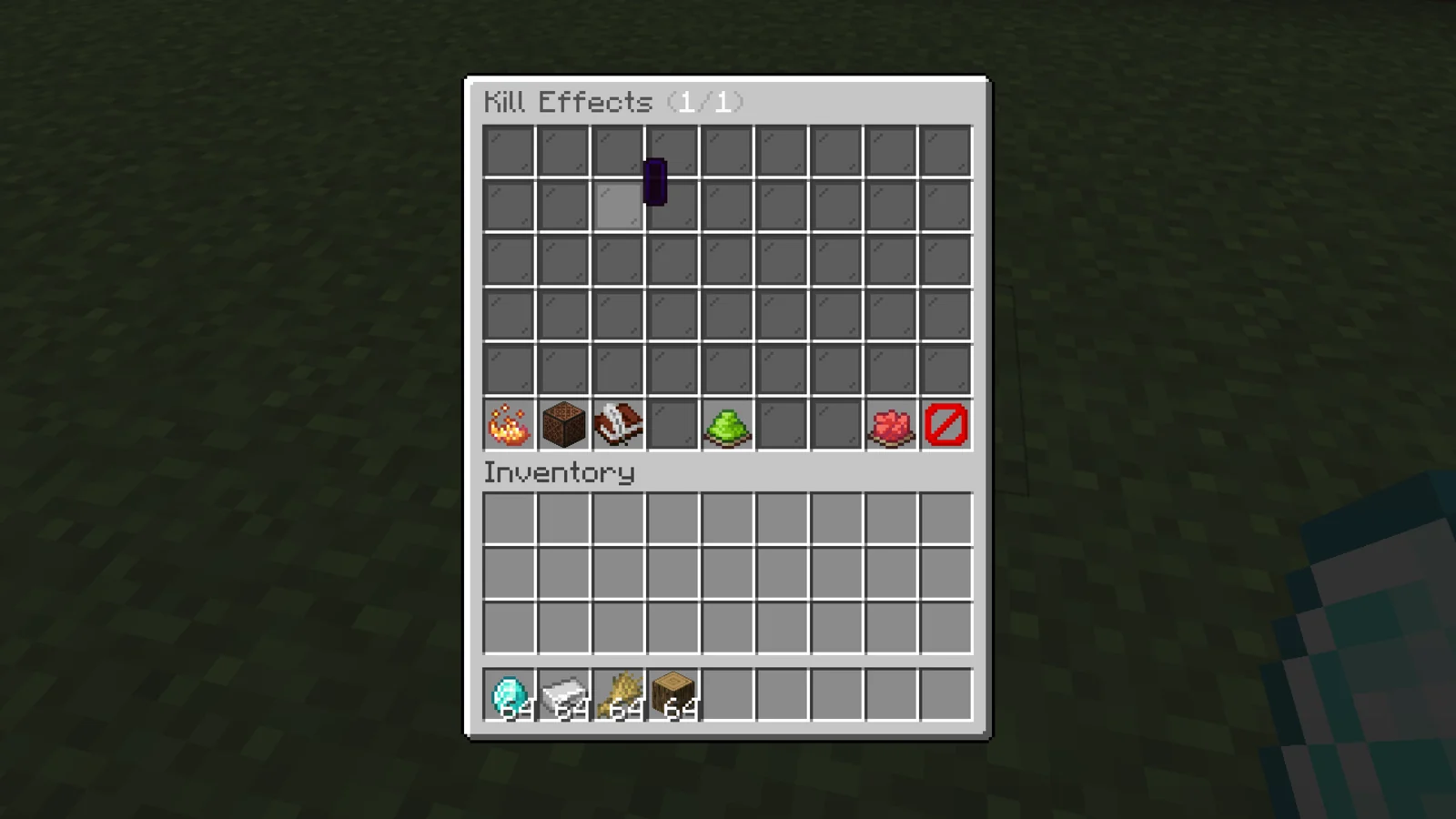
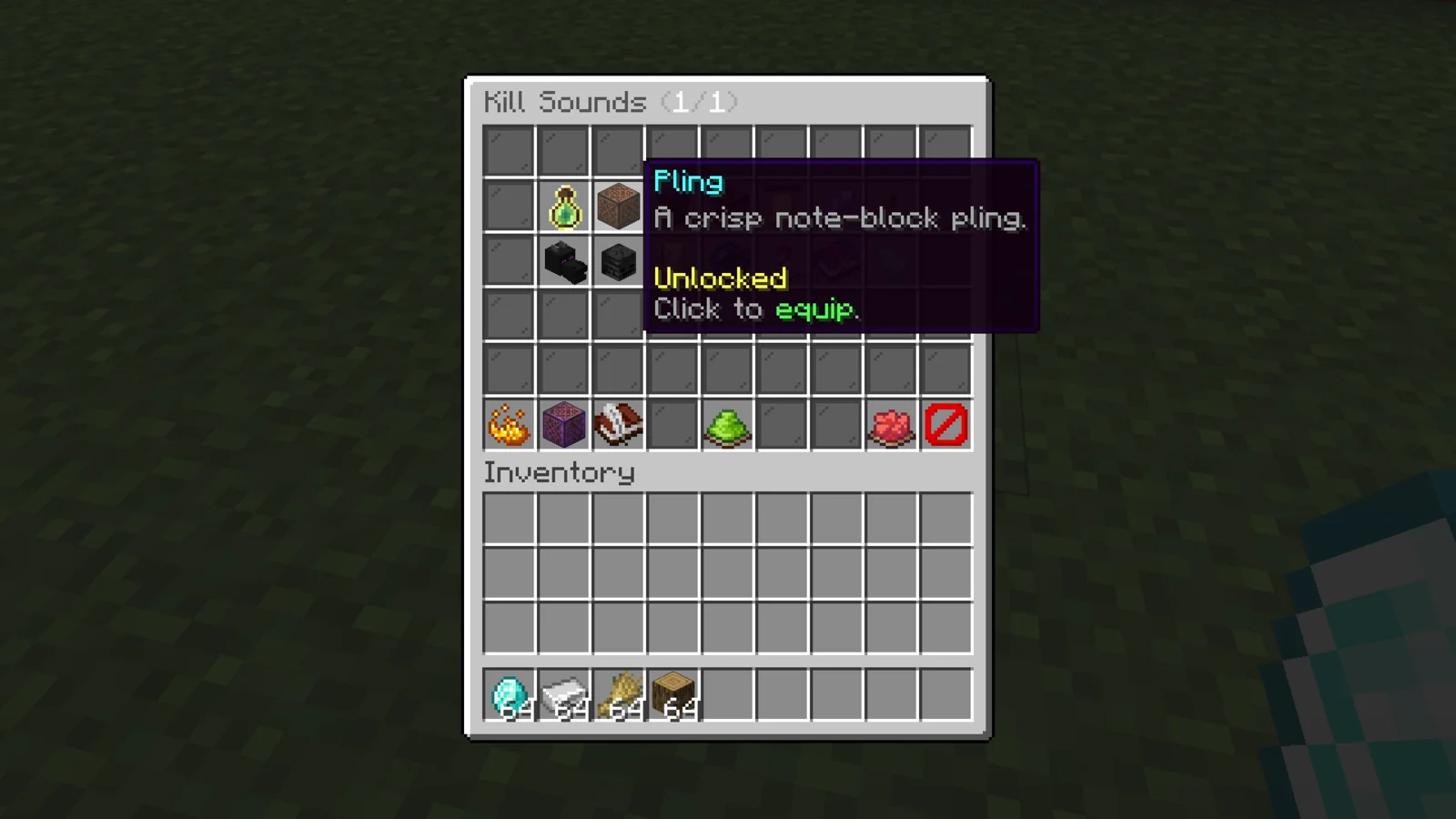
Configuration#
| File | What it controls |
|---|---|
config.yml | Effect rules, extra effect slots, the menu and the combat tag. |
effects/<id>.yml | One kill effect each. The file name is its id. |
kill-sounds.yml | Kill sounds, and who hears them. |
death-messages.yml | Death messages that replace the vanilla one on a kill. |
messages.yml | Every message, in MiniMessage format. |
license.yml | Your license key. |
Making an effect#
Copy a file in effects/, rename it and run /be reload. An effect is a list of steps that run in order:
display-name: "<gradient:#7b5bff:#19d3ff>Galaxy</gradient>"
icon: NETHER_STAR
default-unlocked: false
broadcast: "<#7b5bff>{killer}</#7b5bff> <gray>sent</gray> <#19d3ff>{victim}</#19d3ff> <gray>to the stars</gray>"
steps:
  - type: SHAPE
    shape: SPIRAL
    particle: END_ROD
    radius: 2.2
    points: 80
    rotations: 3
    y-offset: 1.4
    delay: 0
  - type: SOUND
    sound: "block.beacon.activate"
    volume: 0.7
    pitch: 1.6
delay: 4| Step type | Does |
|---|---|
PARTICLE | A burst of one particle, with count and offset. |
SHAPE | Particles drawn in a shape: CIRCLE, HELIX, DOUBLE_HELIX, SPHERE, SPIRAL, WAVE, BURST, VORTEX or STAR. |
SOUND | A Minecraft sound key with volume and pitch. |
FIREWORK | A firework burst. |
LIGHTNING | A lightning strike that does no damage. |
delay is in ticks from the kill. broadcast is an optional chat line on the kill, with {killer} and {victim}. menu-priority sets the order in the menu, and effects.max-particles-per-step (default 200) caps any one step.
config.yml#
| Key | Default | What it does |
|---|---|---|
effects.default-enabled | true | Effects start on for new players. |
effects.cooldown-seconds | 0 | Least time between two effects from the same killer. |
effects.kill-broadcast | true | Allow the effects' broadcast lines. |
effects.disabled-worlds | [] | World names where no effects play. |
effects.selection-mode | CHOSEN | CHOSEN plays the equipped effect. RANDOM plays one from random-pool, or from every unlocked effect when it's empty. |
death-effects.enabled | false | Also play the player's death effect where they die. |
win-effects.enabled | false | Allow win effects through /be win or the API. |
projectile-trails.enabled | false | Draw the player's trail effect behind their arrows. |
gui.switch-cooldown-millis | 2000 | Anti-spam delay for equipping and previewing. |
gui.preview-on-select | true | Play the effect on the player when they equip it. |
gui.menu-categories | all true | Which buttons show in the main menu. |
In kill-sounds.yml, play-to sets who hears the kill sound: KILLER (default), VICTIM, BOTH or NEARBY.
Combat tag#
combat:
  enabled: true
  duration-seconds: 10
  refresh-millis: 50
  combat-log-kill: true
  block-commands: true
  allowed-commands:
    - msg
    - r
    - shout
Hitting another player tags both of them for duration-seconds, with an action bar countdown in hundredths of a second. A tagged player who logs out is killed when combat-log-kill is true. While tagged, only the allowed-commands work, unless the player has blazeeffects.combat.bypass.
Update alerts#
Staff with blazez.updates (OPs by default) get one chat message when they join, listing every installed BlazeZ plugin that has an update waiting. It stays off until you set check-for-updates: true in this plugin's license.yml.
Developer API#
BlazeEffects fires two Bukkit events from lol.blazez.blazeeffects.api.event, both on the player's server thread.
| Event | Cancellable | Fires when |
|---|---|---|
CombatTagStartEvent | Yes | A player enters combat. Refresh hits on an already tagged player don't fire it again. getPlayer(), getOpponent() (can be null), getDurationMillis() and setDurationMillis(long). Cancelling it, or setting the duration to 0, leaves the player untagged. |
CombatTagEndEvent | No | A tag ends. getPlayer() and getReason(): EXPIRED, DEATH, QUIT (combat log) or RESET (/be reload or shutdown). |
Add softdepend: [BlazeEffects] to your plugin.yml.
Install#
- Put the BlazeEffects jar in
plugins/and start the server once. It createsplugins/BlazeEffects/with the files above. - Paste your license key into
license-keyinlicense.yml. Your key is under My Licenses on the BlazeZ portal; licenses linked to your Discord account show up there automatically. If yours is missing, open a License Key ticket in the BlazeZ Discord. - Restart the server.
- Grant the effects players should have, for example
blazeeffects.effect.galaxy, or setdefault-unlocked: truein an effect's file. - After editing files, run
/be reload.