BlazeZ Store gives your server its own webstore at yourname.blazez.lol, or on your own domain. Players buy ranks, crate keys and other packages there, and the money goes straight to your own Stripe, PayPal or Coinbase Commerce account. The platform never holds it.
Each package has a list of commands. When an order is paid, those commands are queued for your Minecraft server and run in game, waiting for the player to be online when a command needs it. Coming from Tebex, you can bring your theme, store name, categories and packages over when you create the store.
Features#
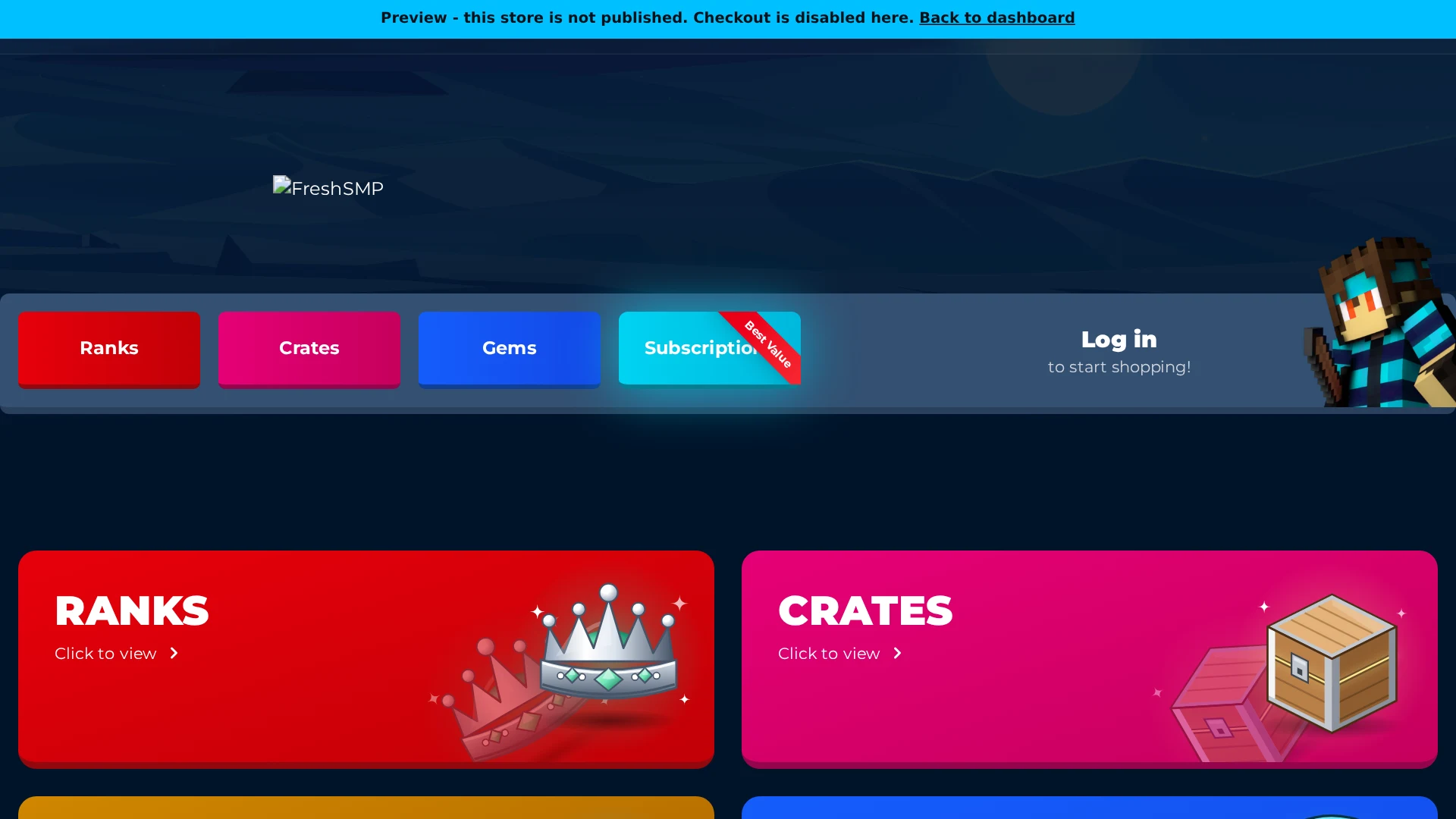
Your store, your look
Pick a built-in theme or upload a legacy Tebex theme export. It renders through the same templates, settings and scripts it always did. Storefront and themes
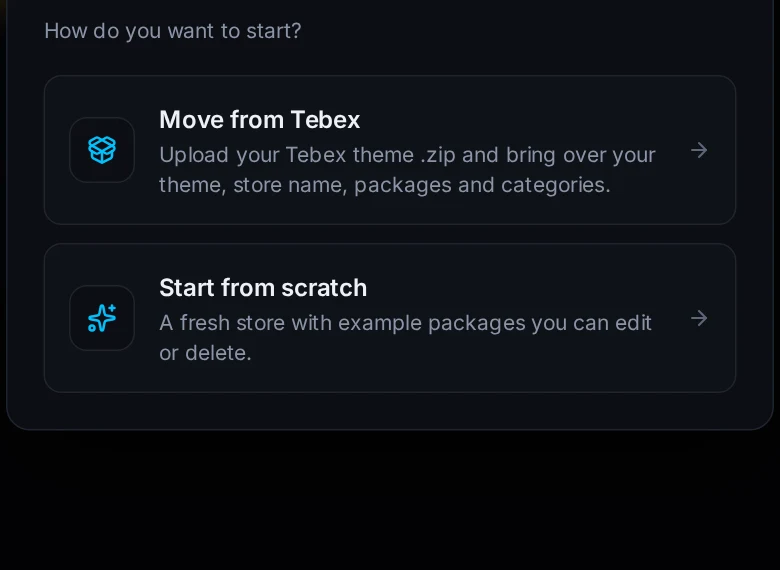
Move from Tebex
Upload your Tebex theme .zip and your public token. The theme, store name, logo, categories and packages come over in one step. Move from Tebex
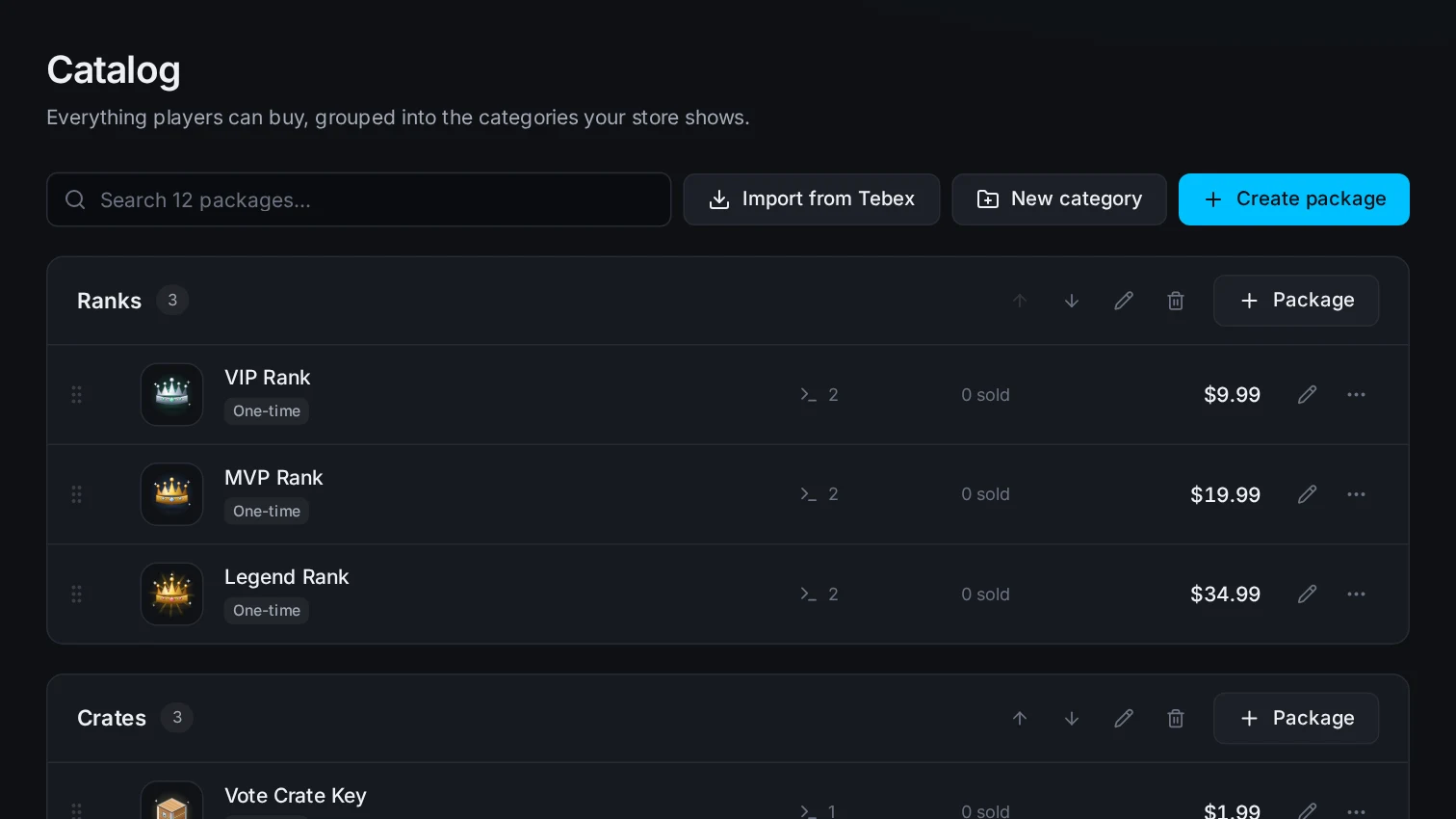
Packages and categories
One-time packages and subscriptions, each with its own commands, purchase limits, sale price and image gallery. Packages
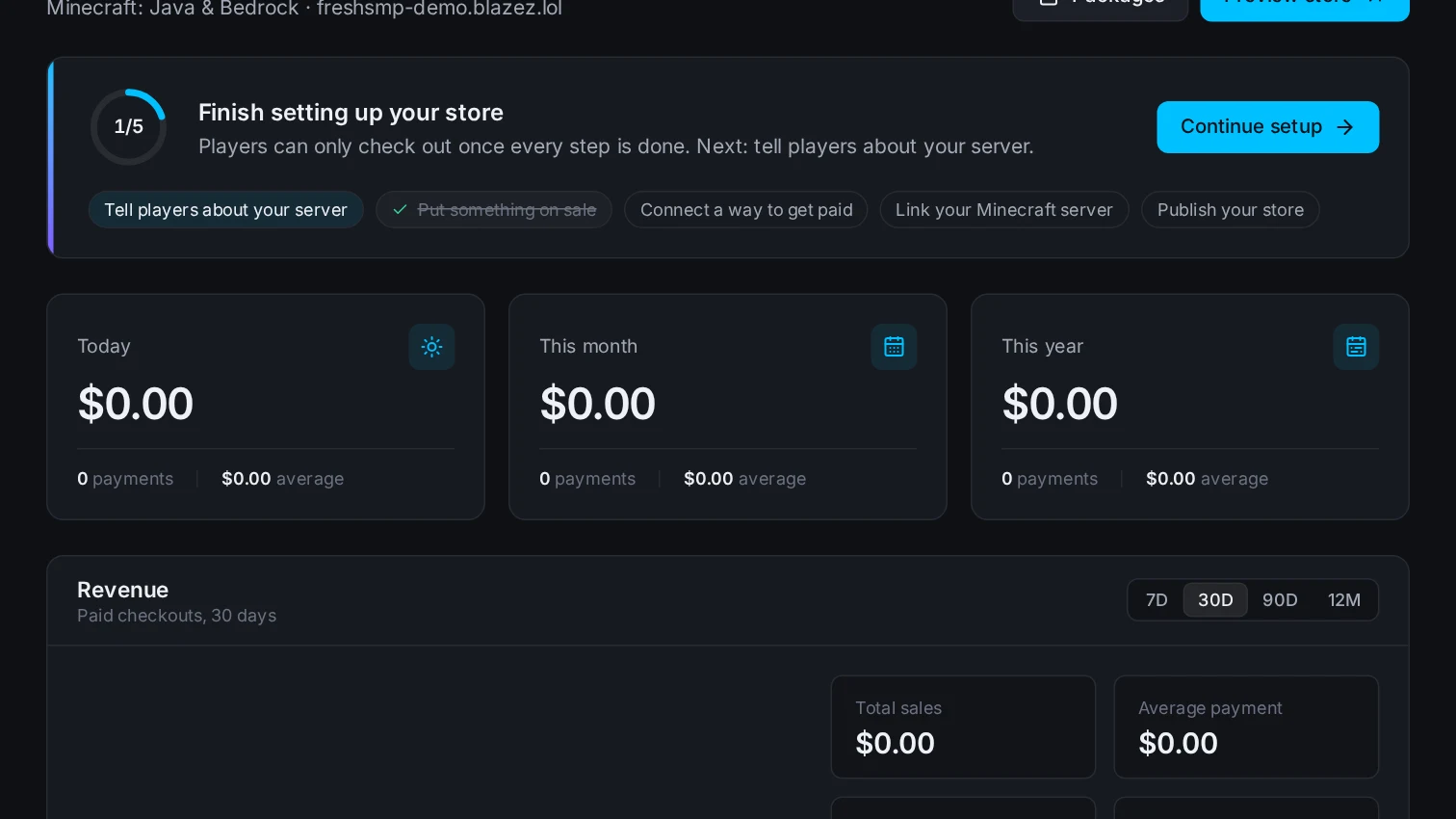
Live overview
Revenue today, this month and this year, a revenue chart and a setup checklist that tells you what's left before you publish. Statistics and orders
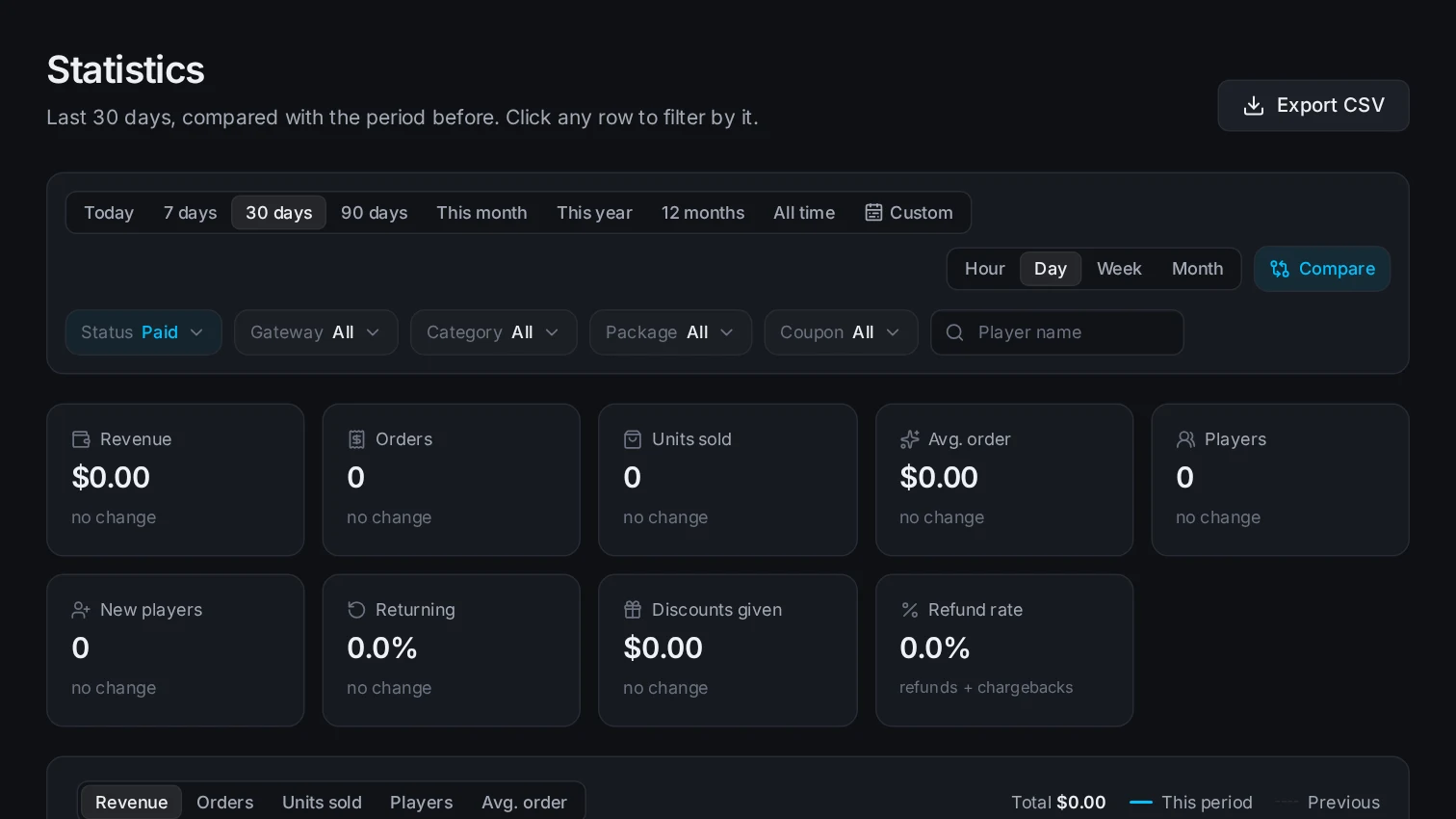
Statistics
Revenue, orders, players, returning buyers and refunds for any date range, compared with the period before, and exported as CSV. Statistics and orders
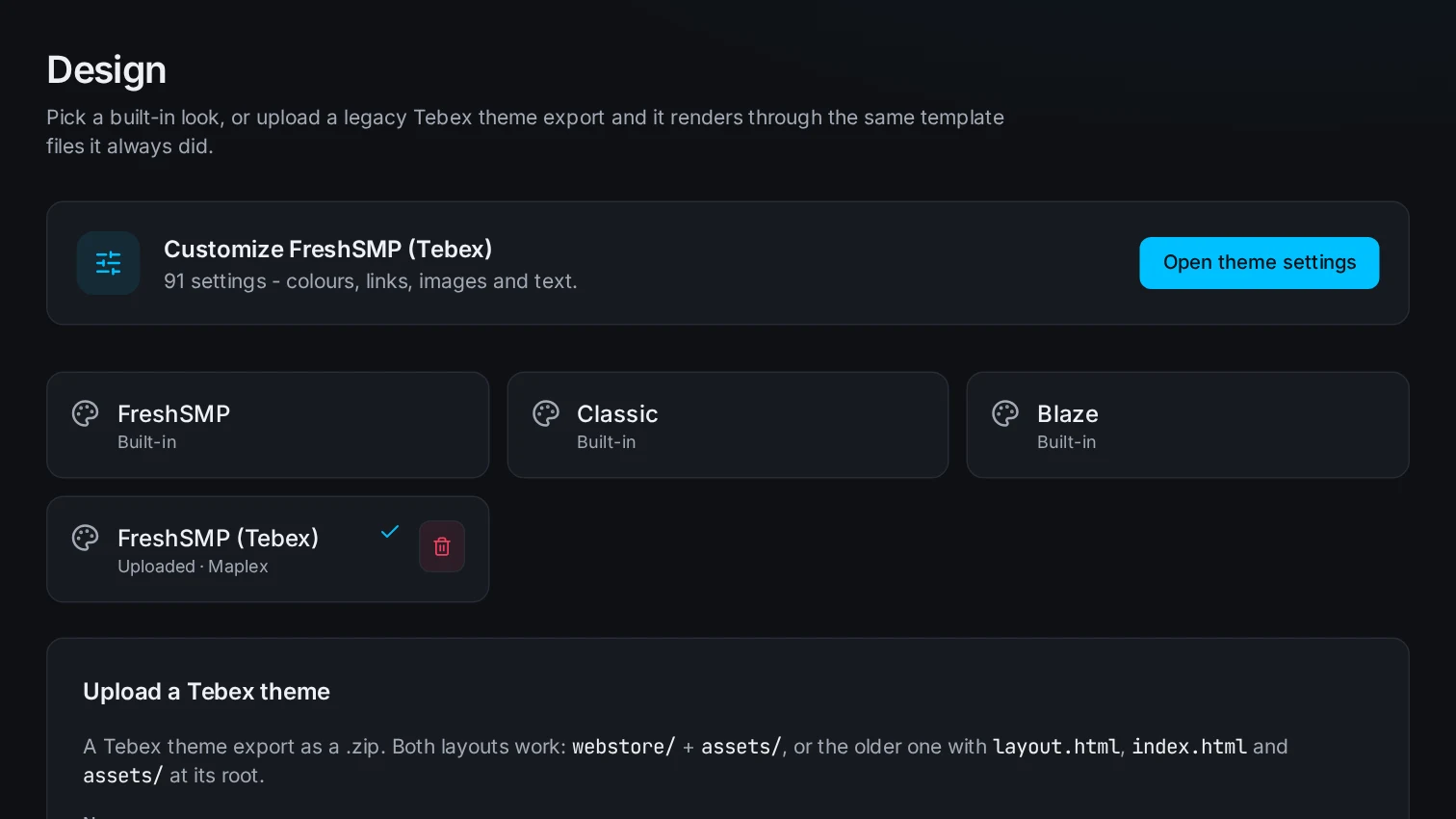
Theme settings
A theme's colors, links, images and text are edited from a form built from its own settings file, then previewed before you publish. Storefront and themes
Paid to your accounts
Stripe, PayPal and Coinbase Commerce run on keys you paste in. Refunds are issued from the order page. Payments
In-game delivery
Paid orders queue their commands for your server. Commands can wait for the player to log in, run after a delay or target one server. Delivery
Coupons, gift cards and sales
Percentage or fixed coupons, gift cards with a balance, and a store-wide sale with a banner and an end date. Promotions
Java and Bedrock
Buyers tick that they play on Bedrock and your Floodgate prefix is added to their name, so rewards reach the right player. Checkout
Staff with roles
Invite your team as admin, manager or support. Each role only sees the pages it needs. Team roles
Your own domain
Point a domain at your store with one CNAME record. The certificate is issued for you. Custom domain
Team roles#
Every store has one owner, the account that created it. Invite the rest of your team from Customers, then Team, and give each person a role.
| Role | Can use | Pages |
|---|---|---|
| Support | Look things up and help buyers. | Dashboard, Payments, Statistics, Players |
| Manager | Run the catalog and the look. | Everything Support has, plus Packages, Storefront, Coupons, Gift Cards and Sales |
| Admin | Run the store. | Everything Manager has, plus Payment Methods, Team, Game Servers, Settings and Audit Log |
| Owner | Everything. | All pages |
Changes to the catalog, payments, team, themes and settings are written to the Audit Log under Settings, with who made them.
Get started#
- Sign up, then click New store and pick Start from scratch or Move from Tebex.
- Pick a name and an address. Your store lives at
<address>.blazez.lol, and the address can't be one another store already uses. - Add your categories and packages, or edit the example ones a new store starts with.
- Connect at least one gateway under Payments, then Payment Methods.
- Link your Minecraft server under Integrations, then Game Servers.
- Click Preview store to browse every page privately, then Publish when the setup checklist is done.
A store stays private until you publish it. Until then its address shows nothing to the public, and checkout is off in the preview.
Move from Tebex#
Choose Move from Tebex when you create a store. The form takes two things, and either one is enough on its own.
| Upload | What comes over |
|---|---|
| Your theme .zip | The theme's templates, settings, CSS, scripts and images. It becomes the store's active theme. |
| Your Tebex public token | Store name, logo, description, currency, categories and packages with their prices, descriptions, images and type. |
Zip the theme folder you downloaded from Tebex. The zip can also hold other files or a Theme.zip inside it: the theme is found wherever its layout.html and index.html are. The limit is 10MB.
The public token is under Integrations, then API Keys in your Tebex panel. Click Look up to fill in the store name, address and currency from it. If that address is taken, a free one is suggested, such as freshsmp-2. Never paste your Tebex secret key.
Subcategories come over as one category named Parent / Child. Payment keys, coupons, customers and package commands stay in Tebex, so add your gateways and commands after.
You can import your Tebex catalog again later from Packages, then Import from Tebex. Packages that came from Tebex are updated instead of added twice.
Packages#
A package belongs to a category and has a price, a description, an image and an optional gallery with a YouTube video.
| Option | What it does |
|---|---|
| Type | One-time, or a subscription billed every day, week, month or year, with an optional free trial. |
| Sale price | Shown crossed out against the normal price. |
| Global limit | How many can be sold in total. Empty means unlimited. |
| Per-player limit | How many one player can buy. Empty means unlimited. |
| Expires after | One-time packages only: runs the expiry commands this many days after purchase. |
| Required packages | Only players who already bought one of these can buy it. |
| Available from and until | Outside this window the package is hidden. |
| Lock quantity | Buyers can't change the quantity in the basket. |
Commands#
Each package has commands for each event in an order's life: purchase, renewal, expiry, refund and chargeback. A subscription with no renewal commands runs its purchase commands again on renewal.
| Placeholder | Becomes |
|---|---|
{username} | The buyer's in-game name, with the Floodgate prefix for Bedrock players. |
{uuid} | The buyer's UUID, when known. |
{quantity} | How many they bought. |
{packageName} | The package's name. |
{price} | The order total. |
{packagePrice} | The package's unit price. |
{currency} | The store currency, such as USD. |
{transaction} | The order reference. |
{email} | The buyer's email. |
{date}, {time} | When the order was paid. |
A command that uses {quantity} runs once with the number filled in. Any other command runs once per item bought.
Payments#
Connect gateways under Payments, then Payment Methods. Each one uses your own account, and the page shows the webhook URL to paste into that provider.
| Gateway | Takes | Subscriptions |
|---|---|---|
| Stripe | Cards through Stripe Checkout. | Yes |
| PayPal | PayPal Checkout. | No |
| Crypto | Bitcoin, Ethereum and other coins through Coinbase Commerce. | No |
Keys are stored encrypted. Refund an order from its page under Payments: the refund goes back through the same gateway and the package's refund commands run. A chargeback runs the chargeback commands.
You can also add a manual order for a payment you took somewhere else. It delivers like a paid order.
Checkout#
Buyers enter their in-game name and email and accept your terms. Bedrock players tick that they play on Bedrock, and the prefix from Settings (. by default) is added to their name.
A subscription is bought on its own, with a card. Gift cards can't pay for subscriptions. Purchase limits are checked again at checkout, so a basket that was fine an hour ago can still be refused.
Buyers get a receipt by email once the payment clears.
Delivery#
Paid orders don't run anything on the website. Their commands go into a queue that your Minecraft server collects with a server key.
- Open Integrations, then Game Servers.
- Create a key for each server, for example Survival or Hub. The key is shown once, so copy it then.
- Follow the setup steps on that page to put the key on your server.
The key list shows when each server last checked in. Revoke a key to cut that server off.
| Command option | What it does |
|---|---|
| Require online | On by default. The command waits until the player is online. |
| Delay | Holds the command back for this many seconds. |
| Server | Runs it only on the server with that key. Empty means any server. |
Resend an order's commands from its page with Redeliver.
Promotions#
Coupons#
Coupons take a code, a percentage or fixed amount off, an optional limit on uses and an optional expiry date. Buyers enter the code at checkout.
Gift cards#
A gift card has a code and a balance. Buyers spend it at checkout, and whatever is left stays on the card. An order paid fully by gift card needs no gateway.
Sales#
A store-wide sale takes a percentage off every package, with an optional banner text and end date. The banner shows at the top of every page while the sale runs.
Storefront and themes#
Storefront lists the built-in themes and the ones you uploaded. Click one to use it. Open theme settings to edit its colors, links, images and text, built from the theme's own settings file.
Upload a Tebex theme export as a .zip from the same page. Both layouts work: webstore/ with assets/, and the older one with layout.html, index.html and assets/ at the root.
Preview store shows every page with your real catalog before you publish, with checkout turned off.
Custom domain#
Under Settings, enter your domain, such as shop.yourserver.net, then add a CNAME record for it pointing to stores.blazez.lol at your DNS provider. The certificate is issued once the record resolves, and your blazez.lol address keeps working.
Statistics and orders#
The dashboard shows revenue today, this month and this year, with a 30-day chart. Statistics breaks revenue, orders, units sold, players, returning players, discounts and refunds down by any date range, compared with the period before. Filter by status, gateway, category, package or coupon, and export the result as CSV.
Payments lists every order with its status: pending, paid, refunded, chargeback or cancelled. Players lists everyone who bought, with what they spent.
Tax and policies#
Set a tax rate and label under Settings, and whether prices already include it. Tax is added to the total at checkout and shown on the receipt.
Your store has its own terms, privacy and refund pages. They start from a default that names your store and your support contact, and you can rewrite each one under Settings.